
USB Audio Recorder PRO
eXtream Software DevelopmentMusic & Audio
3.9198.00 Reviews
- Version
- 1.6.1.7
- Installs
- 10.00K
- Age Rating
- Everyone
Screenshots
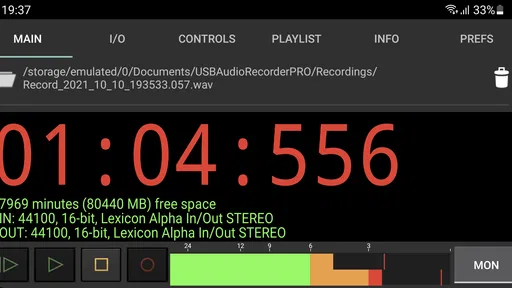
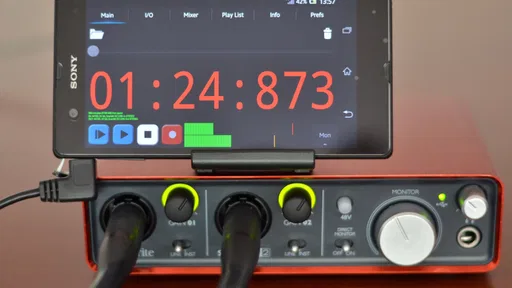
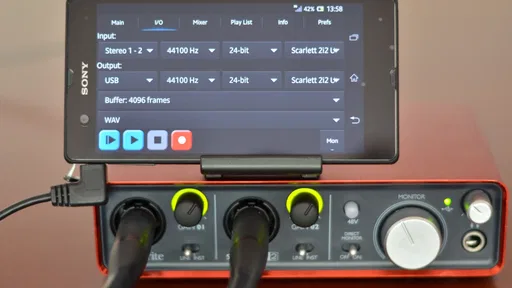
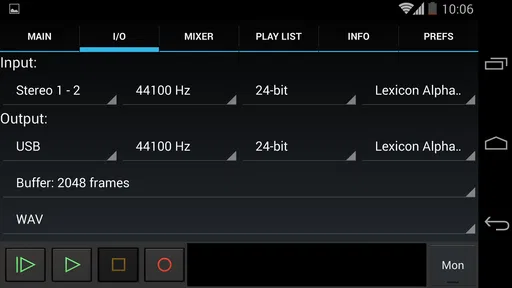
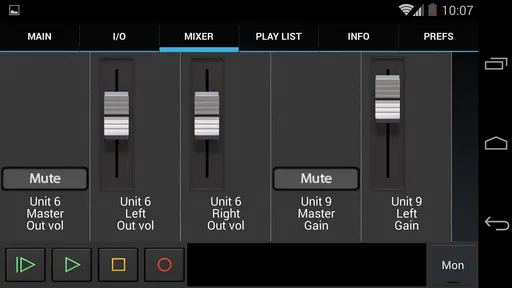
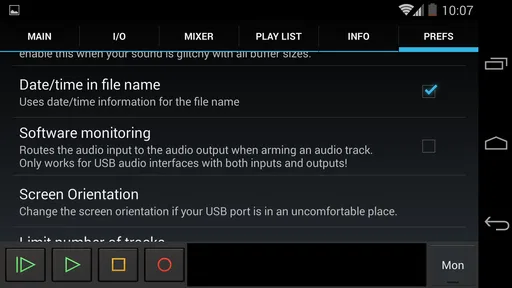
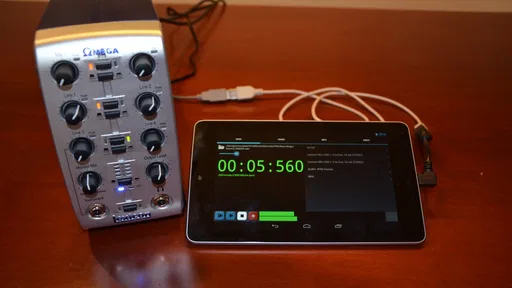
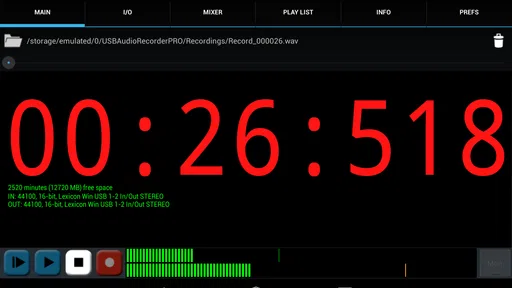
Our Review of USB Audio Recorder PRO
 Analysis by Appyee
I judge USB Audio Recorder PRO mainly by whether it solves a recording problem that a phone’s built-in microphone and ordinary recorder apps cannot. It is an Android music and audio app from eXtream Software Development, built around recording through USB audio equipment rather than treating the phone as a self-contained studio. That focus is useful, but it also makes the choice of hardware and the way you plan to work more important than the app’s simple-looking premise might suggest.
The app costs $5.99. That makes it a paid purchase rather than a free recorder with an optional upgrade, so I would decide based on a specific need: do you already own, or plan to use, a USB microphone or audio interface with your Android device? If the answer is yes, paying for a dedicated recording tool may make sense. If you only want to capture quick voice notes, the built-in recorder or a free general-purpose app is likely the more sensible place to start.
What the price is buying you
The key value here is not a promise that every phone recording will sound better. It is the ability to use a compatible external USB audio device as the recording source. That distinction matters: the app is most compelling when you have a microphone or interface that you already trust and want to bring into a mobile workflow. It is less compelling if you expect an app alone to improve the sound of the phone’s internal microphone.
I would also keep the purchase decision practical. Before paying, check that your Android device and the USB equipment you want to use can work together. USB audio depends on the phone, the connected device, and the connection setup, so a successful experience is not guaranteed simply because the app is installed. If you are buying new recording hardware specifically for this, consider the whole setup rather than judging the app in isolation.
Where it can earn its keep
A dedicated USB recorder is useful when you need a consistent external input for a rehearsal, an interview, a voice-over, or a music idea you want to capture away from a computer. For instance, imagine you are at a practice space and have a USB interface and a microphone ready to go. You can use your Android device as the recording destination instead of setting up a laptop just to preserve a rough take. That is a clear convenience, provided the full chain is compatible and you have checked your levels before the performance begins.
For interviews, the advantage is control over the microphone you choose, not automatic studio polish. I would test the setup in the actual room first, listen back with headphones, and make a short sample before recording a conversation that cannot be repeated. Room echo, microphone placement, and background noise still affect the result. A good recording app cannot fix a poor position or a noisy environment after the fact.
How it differs from a typical recorder
Most simple recorder apps are designed for speed: open the app, speak into the phone, and save a note. That is exactly the right approach for reminders, quick thoughts, or an informal memo. This app is aimed at a different workflow, where an external USB audio source is part of the plan. The trade-off is that a more specialized route asks you to think about connections and equipment before you press record.
It also is not a substitute for a full desktop audio workstation when you need a complex multitrack session, detailed editing, or a large production workflow. I see its strongest role as mobile capture: recording a performance, instrument, or spoken material through USB hardware while keeping the setup compact. If your main goal is editing and arranging a finished production, a computer-based tool may suit you better.
Small habits that make a difference
My first practical tip is to make a brief test recording whenever you change the microphone, interface, cable, or location. Listen to it rather than relying only on the app appearing ready. That check can reveal an input that is too quiet, unwanted room noise, or a connection problem before you have an important take on the line. It is a little extra work, but far less frustrating than discovering an issue afterward.
Second, decide where the phone will sit before recording. If it is connected to equipment and left in an awkward position, you may end up handling it during a take or putting strain on the cable. Keep the device stable, leave the controls reachable, and avoid moving the microphone once you have checked the sound. Those simple choices make a mobile setup feel more dependable without requiring extra software.
Third, treat battery and storage as part of preparation for a longer session. Even when a recording app is efficient, a long session is not the moment to discover that the phone needs charging or has little room left. I would charge the device, clear enough space, and make a short sample before a rehearsal or interview. This is particularly worthwhile when you are using an external interface and do not want to interrupt the session to troubleshoot basic phone housekeeping.
Compatibility and expectations
A common question is whether any USB microphone will work. I would not assume that. The app is built for USB audio recording, but the practical result depends on the Android device and connected hardware supporting the setup. Check the requirements for the phone and equipment you intend to use, and, where possible, test them together before relying on them for a paid session, a class, or a one-time event.
Another sensible question is whether you need a separate interface. Not everyone does: someone with a suitable USB microphone may have a simpler setup, while a musician with multiple sources or preferred studio gear may already have an interface in mind. The right choice depends on the inputs you need and the hardware you own. I would avoid buying extra equipment until you know exactly what you want to record and have confirmed that it can connect to your phone.
The app is listed for Everyone and supports Android 5.0 or later. Its current version is 1.6.1.7, and it has been available since December 12, 2012. It has a 3.9 average from around 1,200 ratings, with roughly 198 written reviews and over 10,000 installs. I treat those figures as context rather than proof that it will work with a particular interface: compatibility with your own device is still the deciding factor.
Who should pay—and who should pass
I would consider the $5.99 price reasonable if I regularly record through USB equipment and want an Android-focused way to capture audio. A musician who wants to save song ideas from a microphone or instrument setup, a podcaster who needs a portable spoken-word recording chain, or a person who already owns a compatible USB interface is more likely to get value from it than someone recording occasional notes.
I would skip it if the phone’s built-in microphone is all you plan to use, if you need extensive editing rather than recording, or if you have not established that your hardware can connect to your phone. In those cases, a standard recorder or a desktop audio tool may be a better fit. The paid price is easier to justify when the app fills a specific role in equipment you already use; it is harder to justify as a speculative purchase based only on the idea of better sound.
In short, USB Audio Recorder PRO is a focused option for people who want to take USB audio gear into a mobile recording session. I would buy it for a known setup and a real recording need, not as a general upgrade for every Android user. If you are unsure about compatibility, verify the hardware first; if your setup is ready, the app’s specialized purpose may be exactly what makes the purchase worthwhile.
Ever found yourself struggling to record high-quality audio on your mobile device? Well, I stumbled upon an app that might just be the answer to your audiophile prayers. Let's dive into the world of USB Audio Recorder PRO and see what all the fuss is about.
First Impressions
When I first opened USB Audio Recorder PRO, I was greeted with a clean and straightforward interface. No unnecessary frills or distractions here—just what you need to get the job done. The app is designed to make recording from a USB audio interface as smooth as possible. And, boy, does it deliver!
Features Galore
The standout feature of this app is its ability to connect to a wide range of USB audio interfaces. Whether you're using a simple USB microphone or a complex digital audio converter, this app has you covered. It’s like having a mini recording studio right in your pocket. And trust me, for anyone serious about audio quality, this is a game-changer.
Another neat feature is the app's support for high-resolution audio recording. We're talking about 16-bit, 24-bit, and even 32-bit float support at sample rates up to 384 kHz. In simple terms, your recordings will sound crystal clear, capturing every nuance of your sound.
User Experience
Now, let's talk about user experience. One of the things I appreciate most about USB Audio Recorder PRO is its simplicity. Connecting your USB audio device is a breeze—just plug it in and the app recognizes it almost instantly. I didn't have to mess around with any complicated settings or configurations.
The recording process itself is straightforward. Hit the record button, and you’re off. The app provides real-time monitoring, which is crucial for anyone who needs to keep an ear on what’s being captured. It's also quite responsive, with no noticeable lag, which is a big plus in my book.
Performance and Reliability
When it comes to performance, USB Audio Recorder PRO is rock solid. I tested it with a variety of USB audio interfaces, and it handled them all without a hitch. The recordings were consistently high quality, with no unexpected glitches or crashes. This reliability makes it a trustworthy tool for both casual users and professionals alike.
Battery consumption is another area where this app shines. Considering the processing power required for high-resolution audio, I was pleasantly surprised to find that it didn’t drain my phone’s battery excessively. This is perfect if you're planning to record on the go.
Final Thoughts
To wrap it up, USB Audio Recorder PRO is a must-have for anyone serious about mobile audio recording. It bridges the gap between professional audio quality and the convenience of a smartphone app. Sure, it might take some time to get used to if you’re new to USB audio interfaces, but once you get the hang of it, you’ll wonder how you ever managed without it.
If you're looking to upgrade your mobile recording game, give USB Audio Recorder PRO a try. It’s a powerful tool that brings professional-grade audio recording to your fingertips. Whether you're a musician, podcaster, or just someone who loves tinkering with audio, this app is definitely worth checking out.
Verdict
Strengths of USB Audio Recorder PRO
- High-quality audio recording capabilities.
- Supports multiple audio formats.
- Offers a user-friendly interface.
- Compatible with various USB audio devices.
- Includes advanced sound editing features.
Limitations of USB Audio Recorder PRO
- Limited free version features.
- May require additional USB hardware.
- Interface can seem outdated.
- Occasional compatibility issues.
- No built-in sharing options.
Other Releases by eXtream Software Development
View All
Audio Evolution Mobile Studio
Music & Audio4.3

USB Audio Player PRO
Music & Audio4.0
Similar Picks in This Category
View All
YouTube Music
Google LLC4.4

Samsung Music
Samsung Electronics Co., Ltd.3.8

Spotify: Music and Podcasts
Spotify AB4.3

JioSaavn - Music & Podcasts
Saavn Media Limited4.3

Lark Player:Music Player & MP3
Lark Player Studio - Music, MP3 & Video Player4.6

StarMaker: Sing Karaoke Songs
SKYWORK AI PTE. LTD.4.3
Frequently Asked Questions
What is USB Audio Recorder PRO and what does it do?
USB Audio Recorder PRO is an advanced recording app that allows users to record and playback audio using USB audio interfaces on Android devices. It supports high-quality audio formats and is perfect for musicians and audio professionals who need to capture pristine sound directly from their USB microphones or instruments.
Is USB Audio Recorder PRO compatible with all Android devices?
While USB Audio Recorder PRO is designed to work with a wide range of Android devices, compatibility depends on the device's ability to support USB host mode. Users are advised to check their device specifications or consult with the app's documentation to ensure compatibility with their specific model.
What audio formats does USB Audio Recorder PRO support?
USB Audio Recorder PRO supports a variety of high-quality audio formats, including WAV and FLAC. This ensures that recordings maintain their clarity and fidelity, making it an ideal choice for professional audio work where sound quality is critical.
Can I use USB Audio Recorder PRO with any USB audio device?
The app is compatible with many USB audio devices, including microphones, mixers, and interfaces. However, users should verify that their specific USB audio device is supported by checking the list of compatible devices provided by the app developer or by testing the functionality with a trial version if available.
Does USB Audio Recorder PRO require any additional hardware?
To fully utilize USB Audio Recorder PRO, users need a USB OTG (On-The-Go) cable to connect their USB audio device to the Android device. This cable enables the necessary connection and power supply for the USB accessory, ensuring smooth operation of the app.
